
How Virtual Staging Can Improve Your Real Estate Marketing
Your property listing may have an excellent location, attractive finishes, and a competitive price. But how do you communicate that value before a potential buyer walks through the front door?
Your photographs do much of the initial selling.
When buyers browse online listings, they often make quick decisions about which properties deserve a closer look. An empty living room, poorly arranged space, or inconsistent collection of photos can make it difficult for buyers to understand a home’s potential.
This is where virtual staging can help.
Virtual staging allows you to add realistic furniture, décor, rugs, artwork, and other design elements to an existing property photograph. Instead of physically renting and moving furniture, you can digitally demonstrate how a room might look when furnished.
However, virtual staging is not simply about making a property look beautiful. Used strategically, it can help you explain room functions, strengthen your listing presentation, create social media content, and support digital advertising campaigns.
Think of it as a visual storytelling tool. You are not just showing buyers four walls and a floor—you are helping them imagine how the space might fit their lives.
Let’s look at how you can use virtual staging to improve your real estate marketing.
Why Visual Marketing Matters in Real Estate
Your Listing Photos Create the First Impression
Before a buyer contacts you, they may see your property on a listing website, social media platform, or search engine.
Your photographs need to communicate important information quickly:
-
What does the property look like?
-
How large are the rooms?
-
Is the home bright and welcoming?
-
How might the space be used?
-
Does the property match the buyer’s needs?
A photograph cannot answer every question, but a carefully prepared image can encourage buyers to explore further.
An empty room may accurately show the property, yet some buyers struggle to imagine furniture placement. Virtual staging gives them a visual reference without changing the room’s actual structure.
The goal is to create interest while maintaining accuracy.
Buyers Need More Than a Photograph of an Empty Room
Imagine walking into an empty 14-by-16-foot living room. You can see the windows, flooring, and walls, but you may not know whether a sectional sofa, television, coffee table, and chairs would fit comfortably.
A staged image can provide context.
When you add appropriately sized furniture, buyers can better understand the room’s scale and possible arrangement. The image becomes a practical illustration rather than a simple record of an empty space.
Strong Images Help You Tell a Property’s Story
Your listing should feel like a connected story.
The living room can communicate comfort. The dining room can show entertaining potential. The bedroom can create a sense of relaxation. The home office can demonstrate flexibility.
When you coordinate the design and presentation of these images, buyers can form a clearer impression of the property as a whole.
How Virtual Staging Improves Your Real Estate Listing Photos
Virtual staging can strengthen your listing photography in several practical ways.
Highlight the Purpose of Each Room
Some rooms have an obvious purpose. Others do not.
A vacant bonus room might become a home office, reading area, guest bedroom, or playroom. A large basement might be presented as a family entertainment space.
You can use virtual staging to demonstrate one realistic use of the room.
For example, a home office might include:
-
A correctly sized desk
-
An office chair
-
A bookshelf
-
A small plant
-
Simple wall décor
-
Appropriate lighting
Choose furniture based on the room’s dimensions and location. Avoid presenting a space as a bedroom, legal apartment, or finished living area if the property does not actually support that description.
Improve Furniture Scale and Layout Understanding
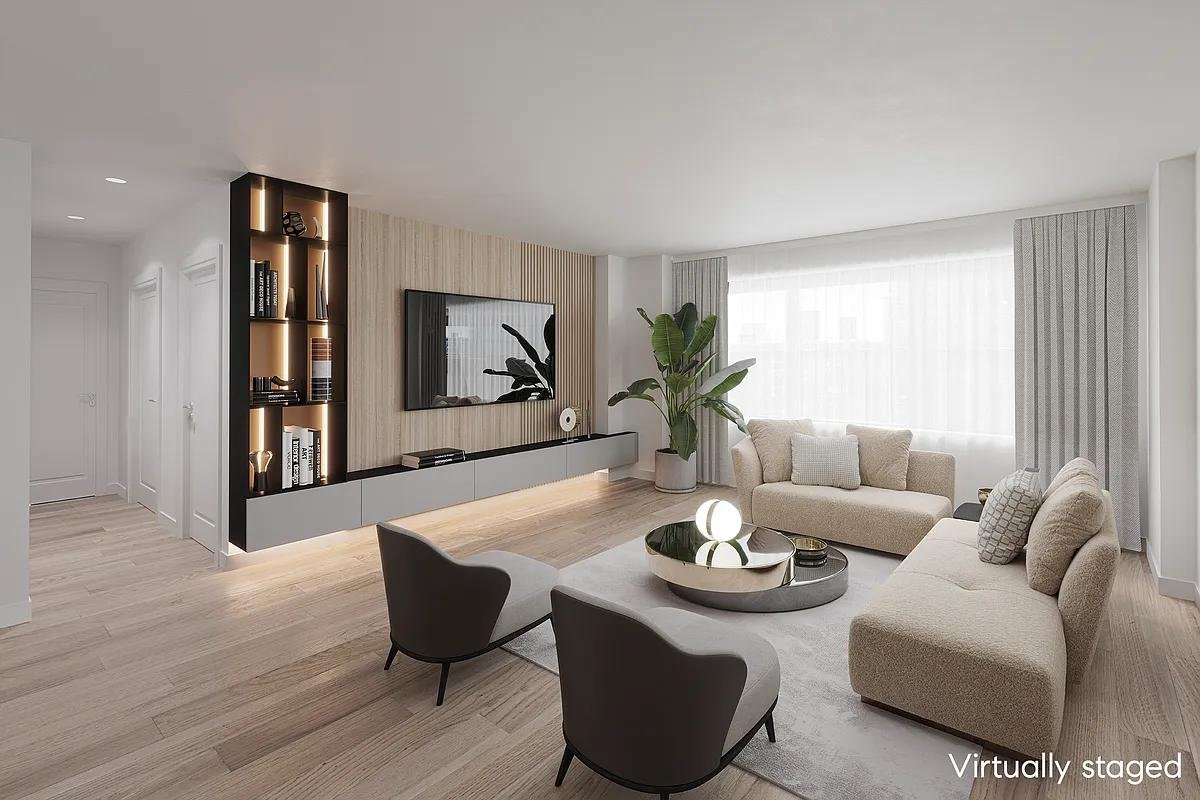
Furniture acts as a visual measuring tool.
A staged bedroom with a queen-size bed and two nightstands helps buyers understand how much space remains around the bed. Similarly, a living room with a sofa and coffee table can demonstrate the room’s usable floor area.
The proportions must remain realistic.
Oversized furniture can make a room appear cramped. Furniture that is too small can make the space look unusually large.
Actionable tip: Before approving a staged image, check whether the furniture leaves comfortable walking paths and whether doors, windows, closets, and other features remain accessible.
Create a Consistent Visual Style
Imagine a listing where the living room has modern furniture, the bedroom has rustic décor, and the dining room uses an entirely different color palette. The images may look attractive individually, but the overall presentation could feel disconnected.
Virtual staging allows you to create a more consistent design direction.
You might use:
-
Neutral colors for broad appeal
-
Contemporary furniture for a newer condominium
-
Warm transitional décor for a suburban family home
-
Minimalist furnishings for a clean, modern presentation
Consistency helps your listing feel intentional and professionally prepared.
Showcase Different Design Possibilities
One room can support more than one design concept.
You might create a modern version, a Scandinavian version, and a traditional version of the same space. This can be useful when marketing a property to different buyer groups.
However, avoid producing too many variations. Five nearly identical images may confuse buyers rather than help them.
Choose the version that best supports the property’s architecture and target audience.
Using Virtual Staging Across Real Estate Listing Platforms
Improve Your Main Property Listing
A strong listing usually includes a mixture of exterior photographs, interior images, detailed room shots, and relevant property features.
Virtual staging can be especially helpful for:
-
Vacant properties
-
New construction homes
-
Unfurnished condominiums
-
Large rooms with unclear functions
-
Basements and bonus rooms
Select staged images that add useful information. Do not replace every original photograph with a digitally furnished version.
The buyer should still be able to understand the property’s actual condition.
Use Before-and-After Images Strategically
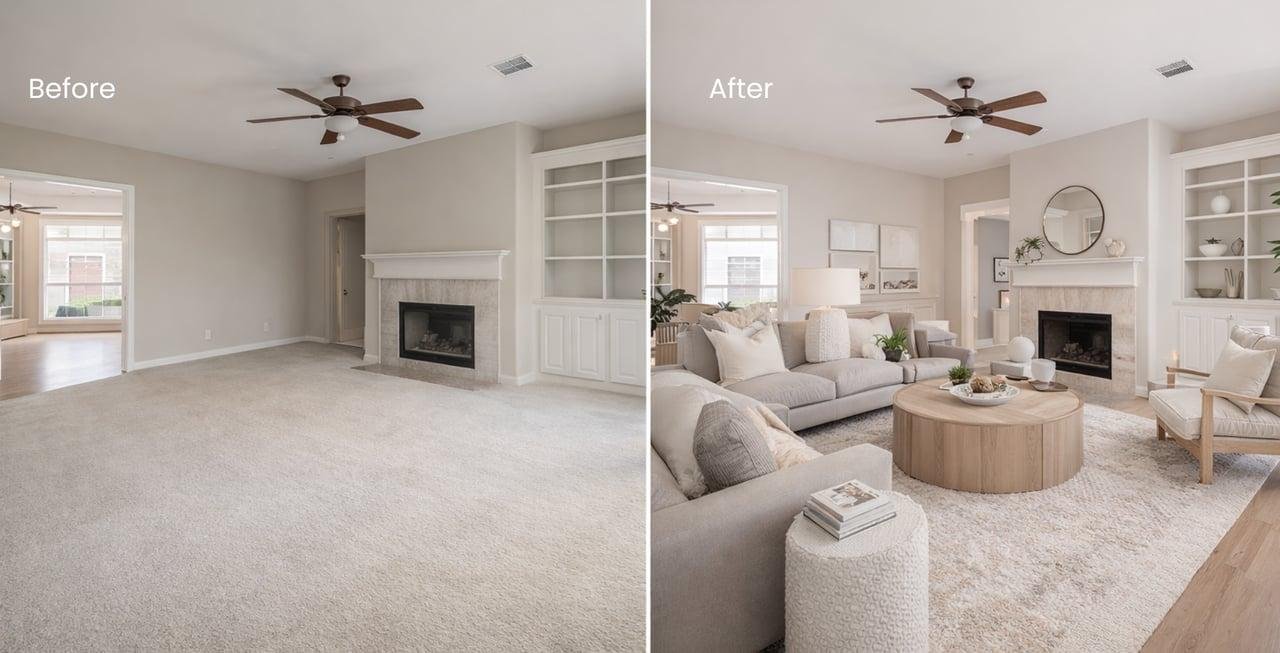
Before-and-after images provide a simple way to explain virtual staging.
The original photograph shows the real room. The staged version illustrates one possible furniture arrangement.
You can use this format in listing presentations, social media posts, newsletters, and educational content.
Label the images clearly. For example:
Original Photograph Virtually Staged Image—Furniture Added Digitally
Clear labeling supports transparency and helps avoid confusion.
Adapt Images to Each Platform
Different marketing channels may require different image formats.
For example:
-
Landscape images often work well for property websites.
-
Square images can suit certain social media placements.
-
Vertical images are useful for mobile-focused content.
-
Wide images may work well in website banners.
Check the current technical requirements of each platform before publishing. Keep important architectural details and furniture arrangements visible after cropping.
How Virtual Staging Helps You Market Properties on Social Media
Social media gives you opportunities to promote a property beyond its main listing page.
Create Engaging Before-and-After Posts
A before-and-after comparison can communicate the value of virtual staging quickly.
You could show an empty living room in the first image and a digitally furnished version in the second. Add a short caption explaining how the staging demonstrates a possible layout.
For example:
“See how this open living room could be arranged for comfortable everyday living.”
Avoid making unsupported claims such as “This staging will guarantee a faster sale.”
Build Short-Form Video Content
You can turn a series of still images into a short video for social media.
A simple 15-second video might follow this structure:
-
Show the original empty room for 3 seconds.
-
Transition to the virtually staged image.
-
Highlight one design feature.
-
Display a call to action, such as “Contact the listing agent for details.”
Use the original property photograph as part of the story. This helps viewers understand that the furniture is a digital concept rather than existing property contents.
Showcase Different Rooms Over Several Posts
One property can provide content for multiple posts.
For example:
-
Monday: Living room transformation
-
Wednesday: Primary bedroom design
-
Friday: Basement recreation concept
-
Sunday: Exterior and neighborhood highlights
Each post should focus on a different feature or buyer question. This approach helps you avoid repeating the same image and message.
Use Clear Captions and Calls to Action
Your caption should explain what viewers are seeing and what they can do next.
Possible calls to action include:
-
“Schedule a private showing.”
-
“Contact me for the complete property details.”
-
“Explore the full listing.”
-
“Send me a message to learn more.”
Keep the wording direct. Buyers should not have to guess what action you want them to take.
Virtual Staging for Real Estate Digital Advertising
Focus Each Advertisement on One Main Benefit
A successful advertisement does not need to communicate every feature at once.
Choose one clear message, such as:
-
“Explore this spacious living area.”
-
“Discover a flexible basement space.”
-
“Imagine your furniture in this bright bedroom.”
-
“See the potential of this new construction home.”
Use an image that supports the message. A staged living room should not distract viewers with unnecessary decorations or unrelated design elements.
Prepare Images for Different Ad Formats
Your advertising images may appear on desktop computers, tablets, and mobile phones.
Review the image at different sizes to ensure that:
-
Furniture remains visible.
-
Important windows and architectural features are not cropped.
-
Text does not cover key details.
-
The image remains sharp.
-
The design still looks realistic.
Avoid placing too much text directly over the photograph. Let the property image do most of the visual communication.
Test Different Presentations
You can test different images or staging styles in your marketing campaigns.
For example, you might compare:
-
A living room photograph with neutral furniture
-
A living room photograph with a more luxurious design
-
A before-and-after image
-
A photograph highlighting the room’s natural light
Track relevant results, but remember that engagement does not automatically equal qualified buyer interest. Views, clicks, inquiries, and showing requests each tell you something different.
Connect Ads to a Useful Landing Page
When someone clicks your advertisement, the destination page should match the message.
A useful property landing page may include:
-
Property photographs
-
Listing details
-
Location information
-
Key features
-
Contact information
-
Showing instructions
-
A clear inquiry form or call to action
If your advertisement promotes a virtually staged living room, make sure the landing page provides more information about the actual property.
How Virtual Staging Supports Vacant and New Construction Properties
Vacant homes and new construction properties often need additional visual explanation.
Make Vacant Homes Easier to Visualize
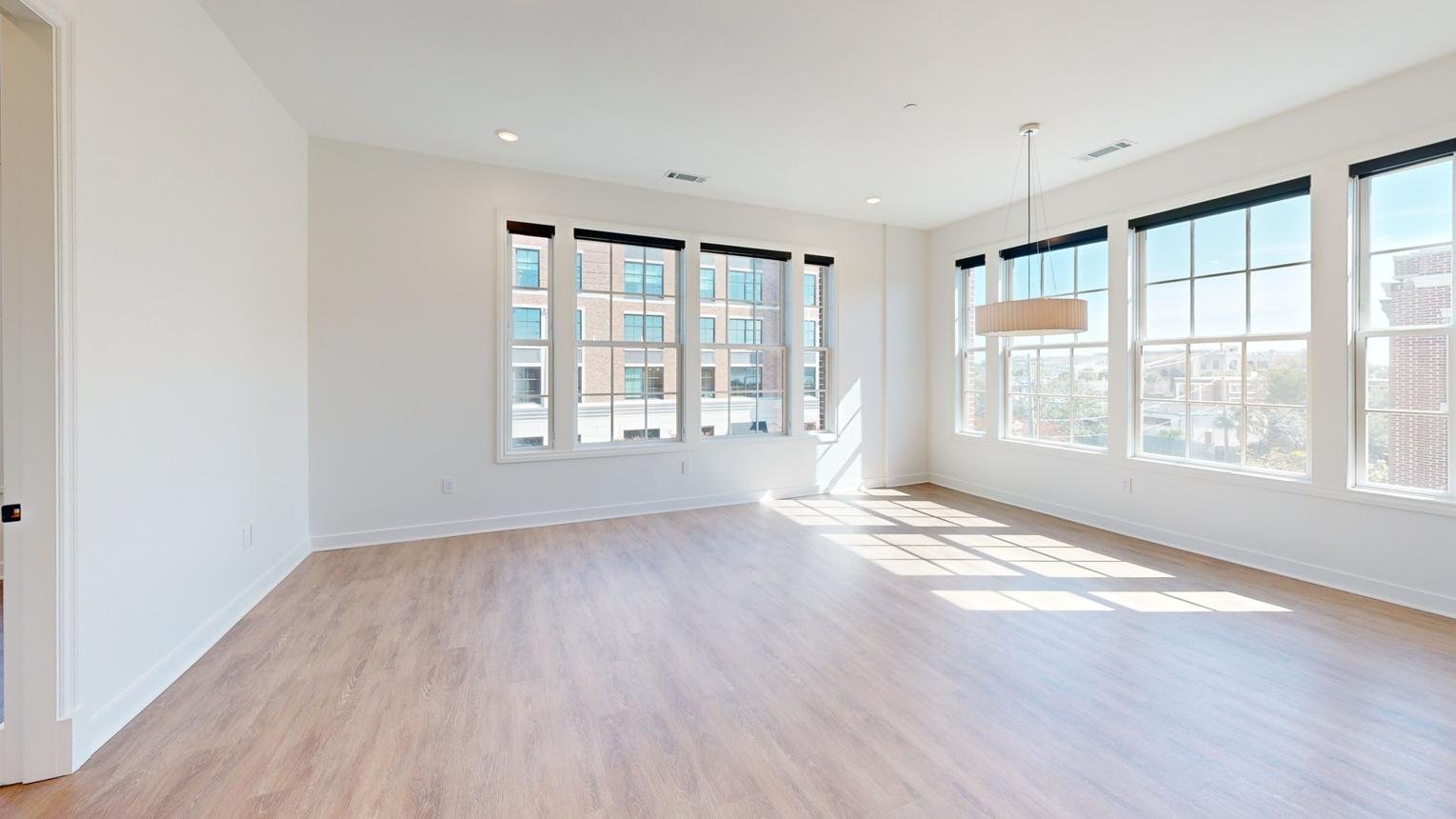
Empty properties can look clean and spacious, but they may not communicate how buyers could use each room.
A staged image can demonstrate a possible furniture arrangement while preserving the room’s original layout.
This is especially useful for large living rooms, open-concept spaces, and unfinished-looking basements.
Present New Construction Homes More Effectively
A new home may be photographed before the owner moves in or before the builder furnishes a model.
Virtual staging can show possible interior design concepts, such as a dining arrangement, primary bedroom setup, or family room layout.
Be careful with details. Do not digitally add appliances, countertops, flooring, lighting fixtures, or upgrades and imply that they are included when they are not.
Support Builder and Model Home Marketing
Real estate agents working with builders can use consistent staging styles across different floor plans.
For example, you might present several homes with coordinated furniture and color schemes. This can help prospective buyers compare room functions and imagine different ways to use the available space.
A Practical Workflow for Creating Marketing-Ready Images
Step 1: Choose the Right Original Photograph
Start with a clear image that shows the room accurately.
Look for:
-
Good lighting
-
Straight vertical lines
-
Visible architectural features
-
A useful camera angle
-
Minimal clutter
-
Clear floor space
Virtual staging cannot fully correct a poor photograph.
Step 2: Define Your Marketing Objective
Before adding furniture, decide what the image needs to communicate.
Are you trying to show:
-
Furniture scale?
-
A possible room function?
-
The property’s lifestyle appeal?
-
A flexible layout?
-
The potential of a vacant space?
A clear objective helps you avoid adding unnecessary elements.
Step 3: Select Appropriate Furniture and Décor
Choose pieces that suit the room’s dimensions, architecture, and target buyer.
Keep the design practical. A living room should still look usable, and a bedroom should retain enough space for comfortable movement.
Step 4: Review the Finished Image
Use this checklist before publication:
-
Are the original doors and windows preserved?
-
Is the room layout accurate?
-
Does the furniture fit the space?
-
Are walking paths clear?
-
Are shadows and lighting believable?
-
Does the image match the original photograph?
-
Is the image clearly identified as virtually staged?
Step 5: Prepare the Image for Publication
Resize and compress the image according to the platform’s requirements. Keep a copy of the original photograph and organize your staged versions so you can locate them easily.
Mistakes That Can Weaken Your Virtual Staging Marketing
Using Unrealistic Furniture
Furniture that is too large, too small, or oddly positioned can reduce the credibility of the image.
Changing Architectural Features
Do not allow virtual staging to relocate, remove, or resize doors, windows, walls, stairs, or rooms. The structure must remain accurate.
Making Unsupported Property Claims
Digital staging should not imply that furniture, renovations, appliances, or finishes are included if they are not actually part of the property.
Failing to Disclose Digital Changes
Use clear labels and follow applicable brokerage, platform, and regulatory requirements.
Using Only Virtually Staged Images
Original photographs remain important. They help buyers understand the actual condition, materials, finishes, and architectural details of the property.
How to Measure Virtual Staging Marketing Performance
Virtual staging should support your marketing objectives, so review the results when possible.
Track Listing Engagement
Depending on the platforms available to you, monitor:
-
Property page visits
-
Image interactions
-
Website clicks
-
Inquiry volume
-
Showing requests
-
Social media engagement
No single metric tells the entire story.
Compare Similar Marketing Efforts
If practical, compare similar listings or campaigns. Consider differences in price, location, property condition, photography quality, audience, and advertising budget.
A staged image may perform differently depending on the property and the audience viewing it.
Focus on Meaningful Buyer Interest
Likes and views can provide useful feedback, but qualified inquiries and showing activity may offer more practical information about marketing effectiveness.
Use the data to improve your future listings rather than assuming that one campaign will produce the same result every time.
10 Actionable Tips for Realtors
-
Start with two or three important rooms. Focus on spaces where staging adds meaningful context.
-
Use realistic furniture dimensions. Match the furniture to the room’s actual size.
-
Choose a design style that suits the property. Avoid designs that feel disconnected from the home.
-
Preserve the original architecture. Never alter doors, windows, walls, or room layouts.
-
Use before-and-after images carefully. Show both the actual room and the design concept when appropriate.
-
Adapt images for each platform. Check image size, cropping, and quality requirements.
-
Label virtually staged images. Make digital additions clear to potential buyers.
-
Keep original photographs available. Transparency should remain central to your marketing.
-
Use one clear message per advertisement. Focus on a specific room or property benefit.
-
Review performance regularly. Use engagement and inquiry data to refine your strategy.
Conclusion: Use Better Visuals to Strengthen Your Real Estate Marketing
Virtual staging can help you present vacant rooms, demonstrate furniture possibilities, create social media content, and support digital advertising. But its value depends on how thoughtfully you use it.
The strongest results come from combining accurate photography, realistic staging, clear messaging, and transparent disclosure.
You do not need to digitally furnish every room or create extravagant designs. Sometimes, a carefully positioned sofa, a practical dining table, or a simple bedroom arrangement can communicate more than an overly decorated image.
Treat each photograph as an opportunity to answer a buyer’s question. Show how the room might function. Explain its possibilities. Preserve the property’s real features.
When you make your listing images more informative and engaging, you give buyers a clearer reason to explore the property further.
Use virtual staging strategically, tell a stronger visual story, and turn your real estate marketing into a more compelling experience.
Frequently Asked Questions
1. Can virtual staging help attract more attention to a property listing?
Virtual staging can improve the visual presentation of a listing and help buyers understand empty or difficult-to-visualize rooms. However, results vary depending on the property, audience, photography quality, price, and marketing strategy. It should not be treated as a guarantee of increased inquiries or sales.
2. Can you use virtually staged images in paid social media advertisements?
In many cases, virtually staged images can support social media advertising, provided they meet the platform’s rules and applicable disclosure requirements. Make sure the image accurately represents the property and clearly identifies digitally added furniture or décor.
3. Should every room in a property be virtually staged?
Not necessarily. Prioritize rooms where staging provides the most useful information, such as vacant living rooms, bedrooms, basements, and bonus rooms. Rooms that already contain attractive furniture may only need professional photography.
4. How can virtual staging support a real estate agent’s personal brand?
You can use consistent staging styles, image quality, captions, and visual layouts to create a recognizable marketing style. A consistent approach can help your listing presentations, website, social media posts, and advertising materials feel more professional and coordinated.
5. Can virtual staging replace physical staging or professional photography?
Virtual staging serves a different purpose from physical staging and professional photography. It digitally demonstrates possible furniture arrangements, while professional photography documents the actual property. Depending on the home and marketing goals, you may benefit from using these methods together.