
How Virtual Staging Helps Elevate Your Real Estate Listings
Imagine a potential buyer scrolling through dozens of property listings. They see a bright, empty living room in one listing and a beautifully furnished living room in another. Which space makes it easier for them to imagine themselves living there?
The answer depends on the buyer, but a thoughtfully staged image can help turn an ordinary listing into a more engaging visual experience.
As a real estate agent, you already know that high-quality photos matter. However, even a well-lit room can feel cold, confusing, or uninspiring when it contains no furniture. Buyers may struggle to understand the room’s purpose, estimate furniture placement, or picture how the space could fit their lifestyle.
Virtual staging gives you a practical way to present a property’s potential without physically moving furniture into the home. Using digital technology, you can add realistic furniture, decorations, rugs, lighting enhancements, and other design elements to an existing property photograph.
But virtual staging is more than simply making an empty room look attractive. When used correctly, it can strengthen your marketing, clarify a property’s layout, and help buyers focus on the possibilities.
Let’s explore how virtual staging can elevate your real estate listings—and how you can use it effectively.
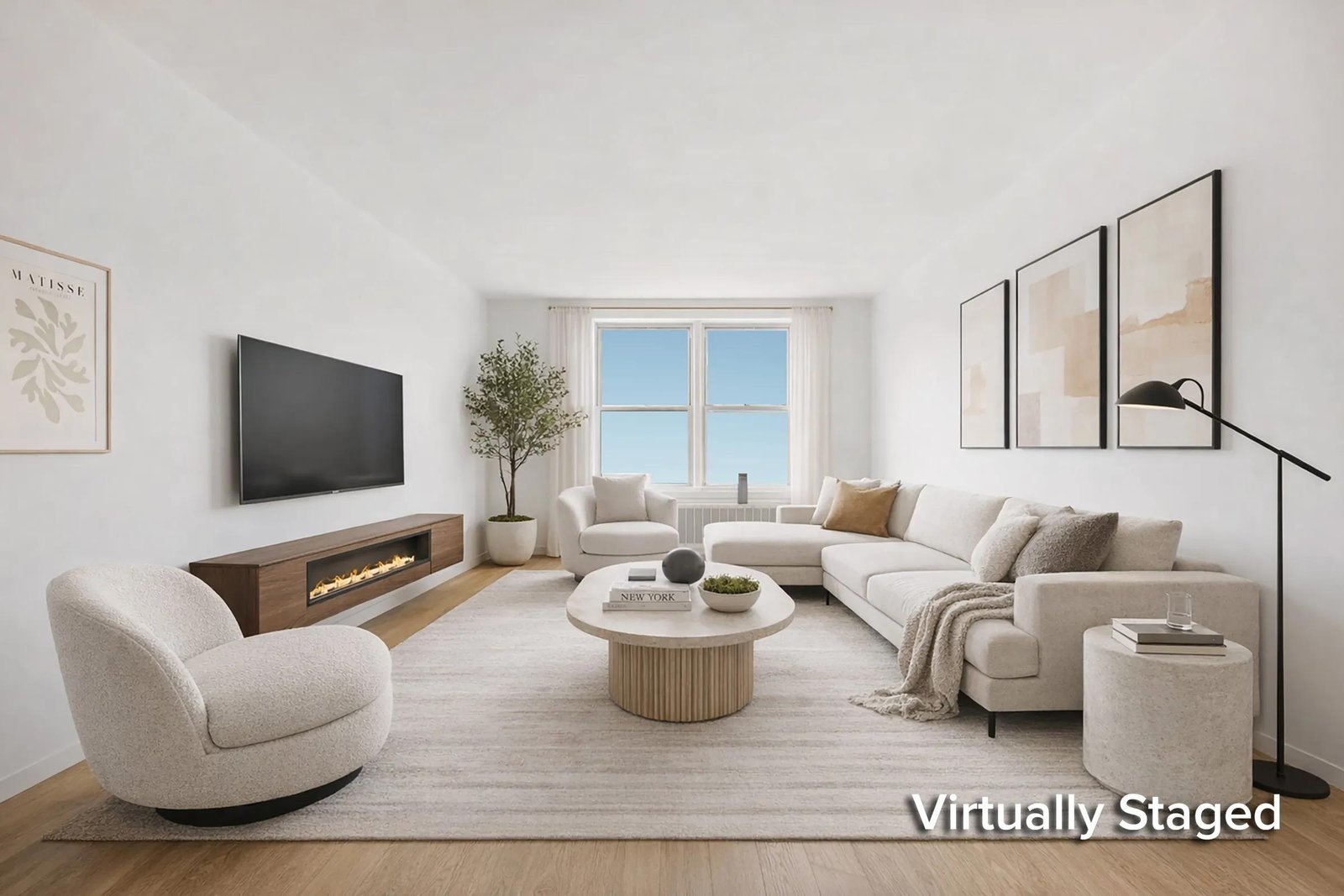
Why First Impressions Matter in Real Estate Marketing
Your listing photos often create the buyer’s first impression of a property. Before a buyer schedules a showing, contacts you, or visits an open house, they may spend several seconds reviewing your images.
That first impression can influence whether they continue exploring your listing or move on to another property.
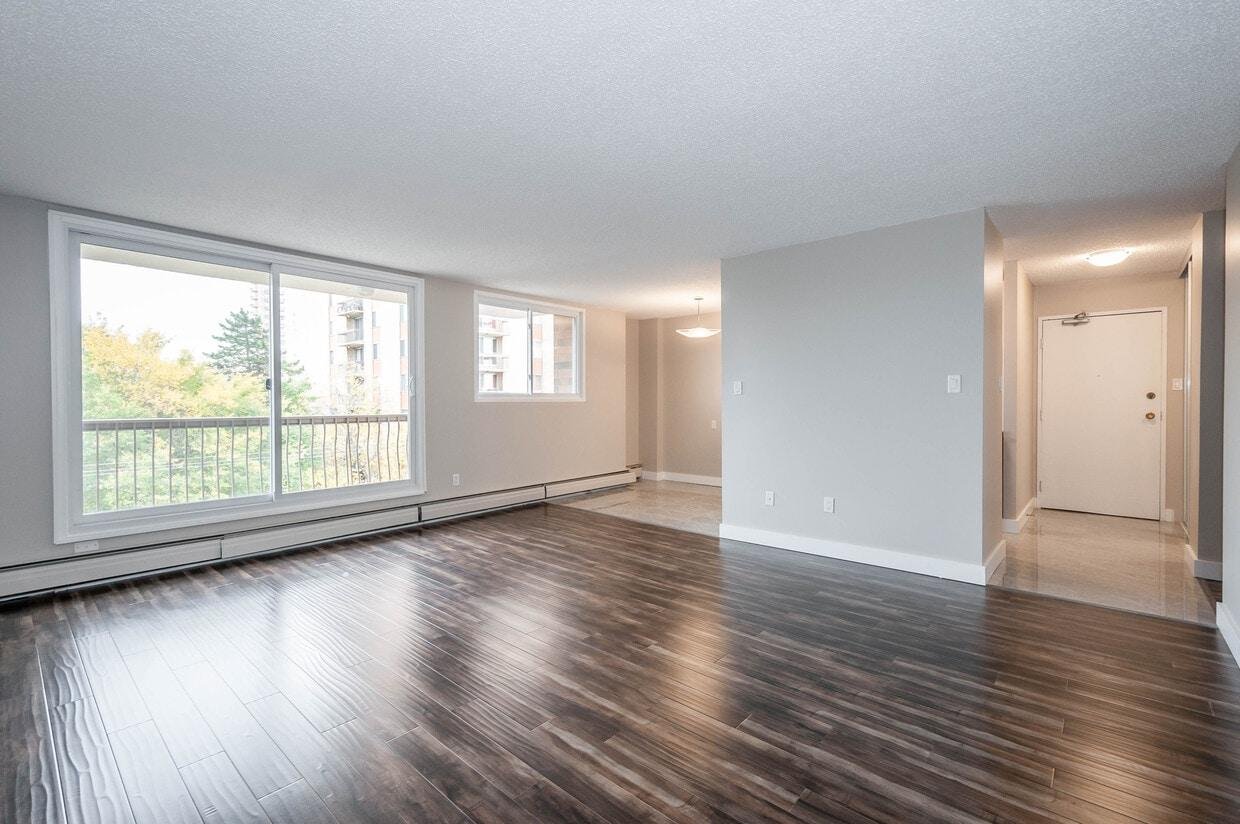
An empty room is not automatically a problem. In fact, an unfurnished space can clearly show the property’s condition, flooring, windows, and architectural details. However, some buyers find it difficult to imagine how an empty space might function.
Think of an empty room as a blank page. It offers possibilities, but it does not always show the reader what the finished story could look like.
Virtual staging helps you provide that visual context.
For example, an empty 12-by-14-foot living room might appear smaller or less useful than it actually is. Adding a correctly sized sofa, coffee table, area rug, and two accent chairs can help buyers understand the room’s dimensions and potential arrangement.
The objective is not to hide the room. It is to help buyers understand it.
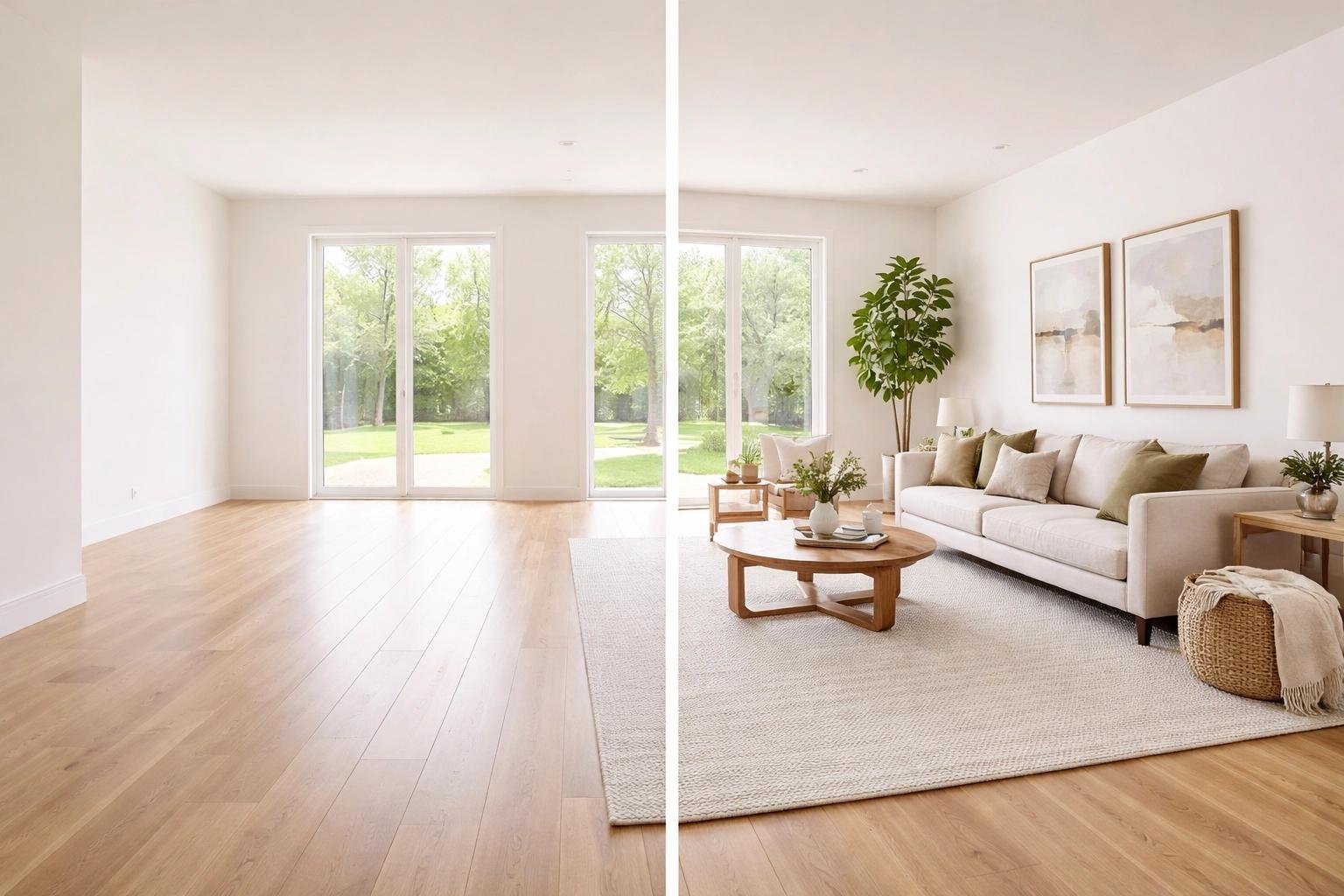
What Is Virtual Staging?
Virtual staging involves digitally adding furniture and decorative elements to a photograph of a real property. The original room remains the foundation of the image, while the software creates a furnished version.
Depending on your marketing needs, you might stage:
- Living rooms
- Bedrooms
- Dining areas
- Home offices
- Basements
- Family rooms
- Outdoor patios
- Vacant model-home interiors
You can also select different design styles, such as contemporary, modern, Scandinavian, farmhouse, transitional, or luxury.
Virtual Staging vs. Physical Staging
Traditional staging requires transporting furniture, arranging decorations, coordinating schedules, and sometimes renting storage space. These activities can increase costs and create logistical challenges.
Virtual staging happens digitally after you capture the property photograph. You can test several furniture arrangements or design styles without physically changing the room.
However, digital staging does not replace every purpose of physical staging. Physical furniture allows buyers to experience the actual space during an in-person visit. Virtual staging primarily improves the online presentation and helps buyers visualize possibilities.
The best choice depends on the property, your budget, your marketing plan, and the expectations you want to establish.
How Virtual Staging Helps Elevate Your Real Estate Listings
Virtual staging becomes especially valuable when you use it as part of a clear listing strategy. Instead of adding furniture randomly, consider how each staged image can answer a question in the buyer’s mind.
What could this room be used for? How much furniture can fit? Would my lifestyle work here?
Here are several practical ways virtual staging can strengthen your listings.
- Help Buyers Visualize the Purpose of Each Room
An empty room may not immediately communicate its function. Is it a home office, a guest bedroom, a reading area, or a children’s playroom?
You can use virtual staging to show one realistic possibility.
For example, a vacant room near the front entrance could become a professional home office with a desk, chair, bookshelf, and subtle lighting. A basement room could be presented as a comfortable family entertainment area with a sectional sofa, television, and storage furniture.
You should avoid suggesting that a room has a different legal or structural purpose than it actually does. Instead, use staging to demonstrate potential uses while keeping the room’s real characteristics visible.
Actionable tip: Stage each room according to its size, location, and likely purpose. Choose furniture that supports the room rather than overcrowding it.
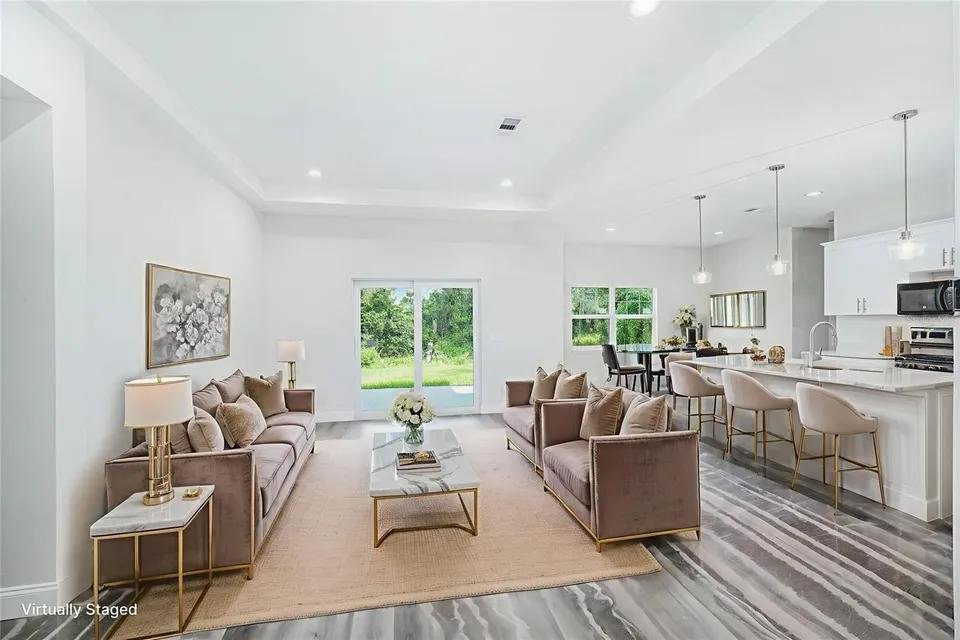
- Make Empty Rooms Feel More Welcoming
Furniture creates visual warmth. A sofa, rug, artwork, and carefully selected accessories can make a room feel more inviting than an entirely empty space.
This does not mean you need to fill every corner. In fact, excessive decoration can make a room appear cramped.
Aim for balance. Use enough furniture to establish scale and atmosphere while leaving clear walking paths.
For a living room, you might include:
- One appropriately sized sofa
- One or two chairs
- A coffee table
- An area rug
- Simple wall decoration
- A small number of accessories
The design should support the property’s architecture. A traditional home may suit classic furnishings, while a newer condominium might benefit from a clean, contemporary arrangement.
- Show Furniture Scale and Room Dimensions
One of the biggest challenges with empty-room photography is understanding scale. Buyers can see the room’s walls, but they may not know whether their existing furniture will fit.
Virtual staging offers a visual reference.
Suppose a bedroom measures approximately 11 by 12 feet. A staged image with a queen-size bed, two small nightstands, and a dresser can give buyers a better sense of the available space.
Furniture must be proportional. A large sectional in a small room can create a misleading impression, while tiny furniture in a large room may make the space appear awkwardly oversized.
Actionable tip: Use realistic furniture dimensions and maintain comfortable walkways. Avoid placing large pieces in front of doors, windows, closets, or important architectural features.
- Create More Consistent Listing Photography
A property listing should feel like one complete visual story. If one room uses elegant contemporary furniture, another uses rustic farmhouse décor, and a third uses oversized luxury pieces, the listing may feel disconnected.
Virtual staging helps you maintain a consistent design direction across multiple rooms.
You could choose a single style, such as modern minimalist, and apply it throughout the home. Alternatively, you could use subtle variations that suit each room while keeping the color palette and furniture quality consistent.
Consistency matters particularly for:
- New construction homes
- Vacant properties
- Investment properties
- Model homes
- Multi-unit developments
A consistent presentation can make your listing look more carefully planned and professionally prepared.
- Improve the Marketing of Vacant Properties
Vacant homes can present specific marketing challenges. Without furniture, rooms may look unfinished, and buyers may pay less attention to the property’s potential.
This is especially relevant for new construction, where buyers may see an empty interior before the home has been fully furnished or decorated.
Virtual staging can help you demonstrate possible layouts and lifestyle experiences.
For instance, you could show a new home’s living room with neutral furnishings, a dining area with a compact table, and a primary bedroom with a calm, comfortable design.
You can also create different versions of the same room for different audiences. A home office might appeal to remote workers, while a basement recreation room might attract families.
Be transparent, though. Virtual staging should represent the actual room accurately, not suggest that features or finishes exist when they do not.
How to Use Virtual Staging as Part of Your Listing Strategy
Adding digitally furnished photos is only one part of the process. Your results will improve when you plan the staging before you create the final images.
Step 1: Identify the Rooms That Need Help
You do not necessarily need to stage every room.
Start with spaces where furniture would add the most value, such as:
- Empty living rooms
- Large primary bedrooms
- Unfinished-looking basements
- Awkward bonus rooms
- Dining areas
- Home offices
If a room already contains attractive furniture, you may only need professional photography and minor editing.
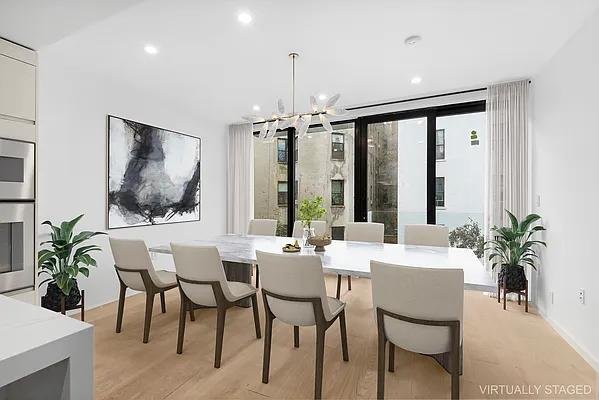
Step 2: Choose a Suitable Design Style
Select a style that complements the property rather than your personal taste alone.
Consider the home’s:
- Architectural design
- Location
- Target buyer
- Price range
- Existing finishes
- Natural lighting
For a family-oriented suburban home, warm contemporary furniture may feel appropriate. For a downtown condominium, a sleek modern style might better support the property’s character.
Avoid choosing a dramatic style simply because it looks impressive in a sample image. Your goal is to help buyers imagine living in the actual property.
Step 3: Protect the Original Architecture
This step is essential.
Your virtual staging provider or software should preserve the property’s actual architectural features. The final image should not change the location or size of:
- Doors
- Windows
- Walls
- Staircases
- Walkways
- Room boundaries
- Kitchen cabinets
- Entrances
Furniture can be changed. The building itself should remain accurate.
If a digitally staged image moves a window, removes a doorway, or changes the room’s layout, buyers may develop incorrect expectations. That can create disappointment during an in-person showing.
Step 4: Review Every Image Carefully
Before publishing your listing, inspect each staged photo.
Ask yourself:
- Does the furniture look realistic?
- Are the proportions correct?
- Are doors and windows unobstructed?
- Does the room still match the original photograph?
- Are the shadows and lighting believable?
- Does the furniture arrangement allow natural movement?
- Does the image clearly represent a digitally staged concept?
Take a few minutes to review the details. A small visual error can distract buyers and reduce confidence in your marketing.
Step 5: Disclose Virtual Staging Clearly
Transparency should always be part of your process.
Use a clear label such as “Virtually Staged Image” or “Furniture shown digitally for illustration.” Follow applicable local rules, brokerage policies, and listing-platform requirements.
You can also include original, unstaged images where appropriate. This gives buyers a more complete understanding of the property.
When Empty-Room Photography May Be the Better Choice
Virtual staging is useful, but it is not the right solution for every image.
An empty photograph may be more appropriate when you need to show:
- The property’s actual condition
- Original flooring or finishes
- A unique architectural feature
- A renovation opportunity
- The exact size and location of built-in elements
- A room that already has attractive furniture
For a fixer-upper, for example, buyers may need to see the current condition clearly. A digitally decorated image should never distract from significant repairs or defects.
You can also combine both approaches. Include an original photograph to document the actual space and a virtually staged version to illustrate one possible design.
This balanced approach provides clarity without sacrificing marketing appeal.
Common Virtual Staging Mistakes to Avoid
Even high-quality technology can produce poor results when you do not review the finished images.
Using Furniture That Is Too Large
Oversized furniture can make a room look smaller and create an inaccurate impression of the available space.
Changing Architectural Features
Never allow digital edits to relocate doors, windows, walls, or stairs. These details influence a buyer’s understanding of the property.
Overdecorating the Room
Too many accessories, bright colors, or large furniture pieces can distract from the home itself. Keep the design appealing but restrained.
Using Inconsistent Styles
A cohesive visual presentation usually works better than placing unrelated design styles throughout the listing.
Failing to Label Staged Images
Clear disclosure protects buyer expectations and supports honest marketing. Always identify digitally altered images according to relevant requirements.
5 Practical Tips for Realtors
If you want to introduce virtual staging into your real estate marketing workflow, start with a simple process.
- Choose two or three important rooms. Begin with the spaces that look empty, confusing, or difficult to visualize.
- Use neutral, broadly appealing designs. Soft colors and timeless furniture can help your listing appeal to a wider audience.
- Keep furniture realistic. Select pieces that match the room’s dimensions and leave clear pathways.
- Compare the staged and original images. Confirm that the architecture and room layout remain accurate.
- Use the images across your marketing channels. Depending on the platform’s requirements, you may use them in listing presentations, social media posts, email campaigns, and property websites.
Start small, evaluate the results, and refine your approach with each listing.
Conclusion: Help Buyers See the Possibilities
Your real estate listing photographs should do more than document a property. They should help buyers understand the space, recognize its potential, and decide whether it deserves a closer look.
Virtual staging can elevate your listings by making empty rooms easier to visualize, improving presentation, and supporting a more consistent marketing strategy.
The key is to use it responsibly. Preserve the original architecture, choose realistic furniture, avoid exaggerated designs, and disclose digitally staged images clearly.
You do not need to transform every room into a luxury showroom. Sometimes, a carefully placed sofa, a correctly sized dining table, or a simple bedroom arrangement can make a meaningful difference.
When you combine accurate photography with thoughtful virtual staging, you give buyers something valuable: a clearer picture of what life in the property could look like.
Make your listings more engaging, show the possibilities, and give every property the presentation it deserves.
Frequently Asked Questions
- Is virtual staging suitable for every type of property?
Virtual staging can work well for vacant homes, condominiums, new construction, investment properties, and individual rooms. However, it may be less useful when the main marketing goal is to show the property’s existing condition or unique architectural details. Choose staging based on the property and your buyers’ needs.
- Can virtual staging make a room look larger?
Virtual staging can help buyers understand the room’s layout and scale, but it should not falsely enlarge the space. Use appropriately sized furniture, realistic camera perspectives, and clear walkways. Avoid editing techniques that materially misrepresent the room’s dimensions.
- Should you include both staged and unstaged photos in a listing?
In many cases, including both can provide a balanced presentation. The original photograph shows the actual condition of the room, while the staged image demonstrates one possible furniture arrangement. Follow listing-platform rules and label digitally staged images clearly.
- How many rooms should you virtually stage?
There is no universal number. Start with the two or three rooms that would benefit most from furniture, such as the living room, primary bedroom, or basement. You can stage additional rooms when they have an important role in the property’s marketing strategy.
- Does virtual staging replace professional real estate photography?
No. Virtual staging and professional photography serve different purposes. Photography captures the real property, while virtual staging adds digital furniture and décor to illustrate possibilities. Strong lighting, accurate images, and realistic staging work together to create a more effective listing presentation.